
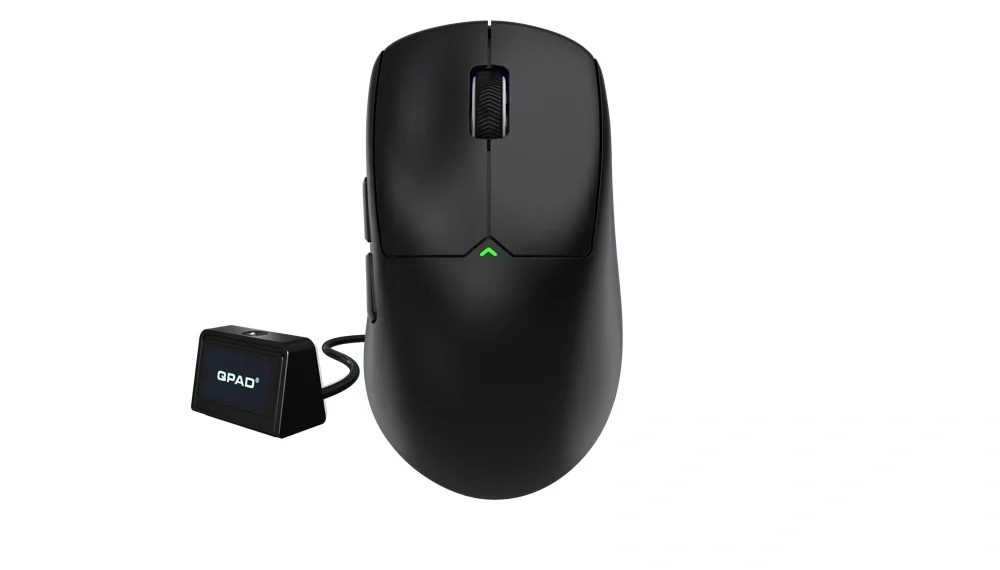
The QPAD Mark Model 5 Vision is the brand’s latest wireless gaming mouse that is designed for both high-end gaming and long work sessions. Thanks to QPAD for sending us this mouse to review! It boasts a flagship PAW3395 optical sensor with up to 26,000 DPI, tri-mode connectivity (2.4 GHz wireless, Bluetooth 5.1 & USB), an ultra-lightweight build, and an intuitive Vision dongle/display that communicates settings in real time. This gaming mouse is sold at the price of €129.99.
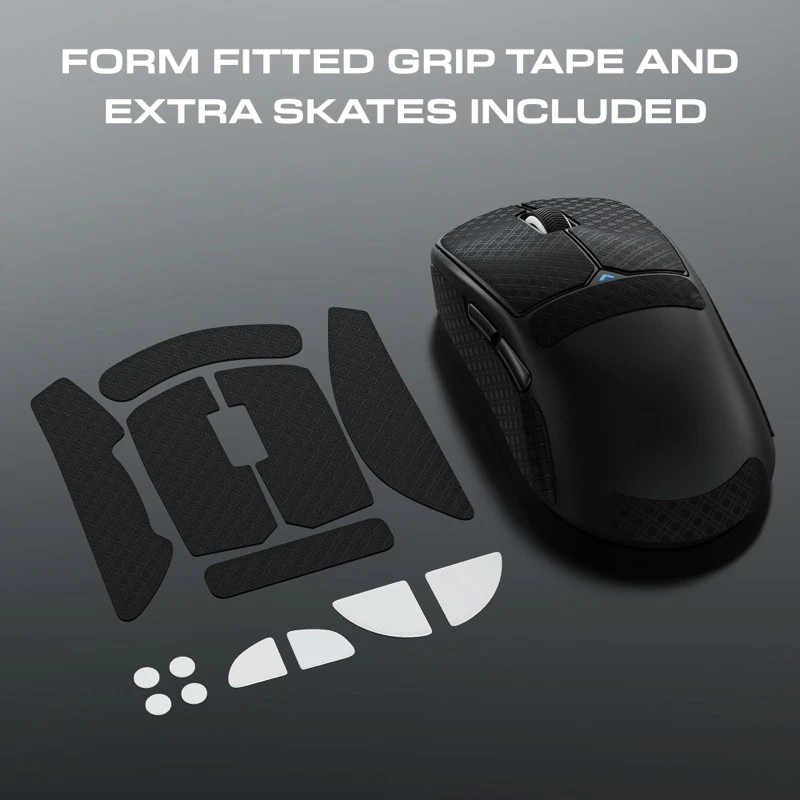
The packing of the mouse is simple, efficient, neat, and well organised. It is a small but sturdy box that contains the mouse, USB-C charging cable, the vision screen accessory, white skates, grip tape, along with a user manual and documentation. The inclusion of both white skates and grip tapes is a thoughtful touch, especially for gamers who like to customise their grip and glide without having to buy accessories separately.
The mouse is very lightweight, making it so that it barely puts strain on your wrist. The buttons feel light but still satisfying. That said, if you are someone who prefers a heavier, more sculpted mouse, this might feel too minimal. I did like the addition of the grip tape because after the initial use of the mouse, it was a bit too light and paired with QPAD’s obsidian mouse pad, the mouse almost flew away. The grip tape that came in the packaging came with several pieces to cover the mouse, accordingly making it super effective, and when used, the effect was indeed noticeable.
The QPAD Mark Model 5 keeps things super clean and minimal, but still looks modern and premium. It comes in this matte black finish with sharp, clean lines, nothing that really screams crazy gamer patterns. It is one of those mice that looks simple on your desk but still feels high-end when you actually use it. My first impression was that it looked like those office mice, as it did not have any gamer design standpoint.
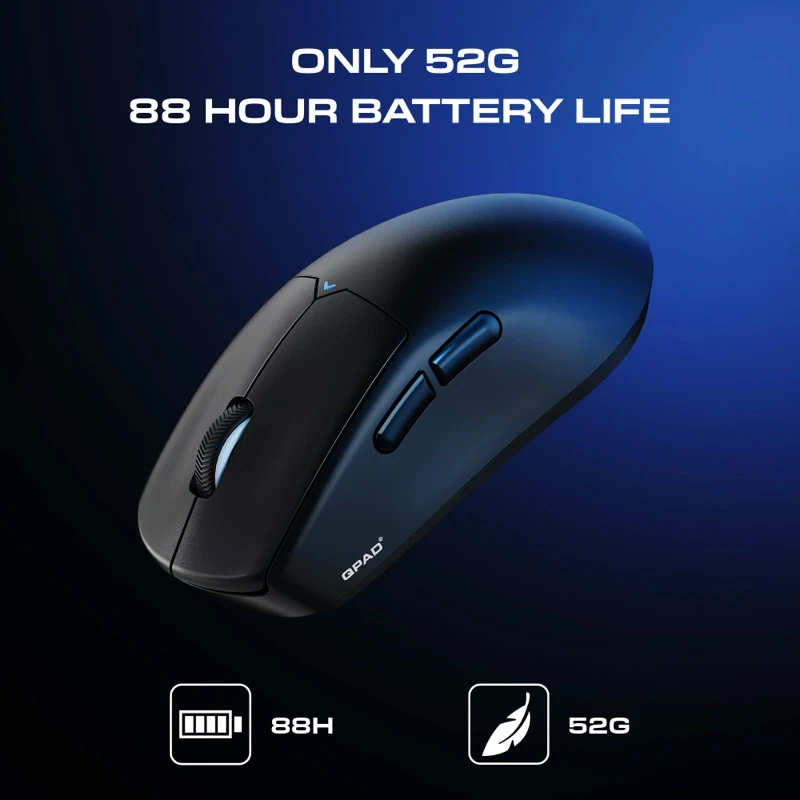
The first thing you notice is the weight. It is only 52 grams, which is insanely light. Like, you barely feel it when you are flicking across your mousepad. Movements feel quick and effortless, especially in fast-paced games where every millisecond matters. It genuinely feels built for competitive play without feeling hollow or cheap.
In terms of the shape, it has a slight curve that works really well for both palm and claw grip users. It is comfortable for long sessions and does not force your hand into an awkward position. The dimensions sit at around 120 x 67 x 40 mm, so it is not oversized or tiny, just a solid middle ground.
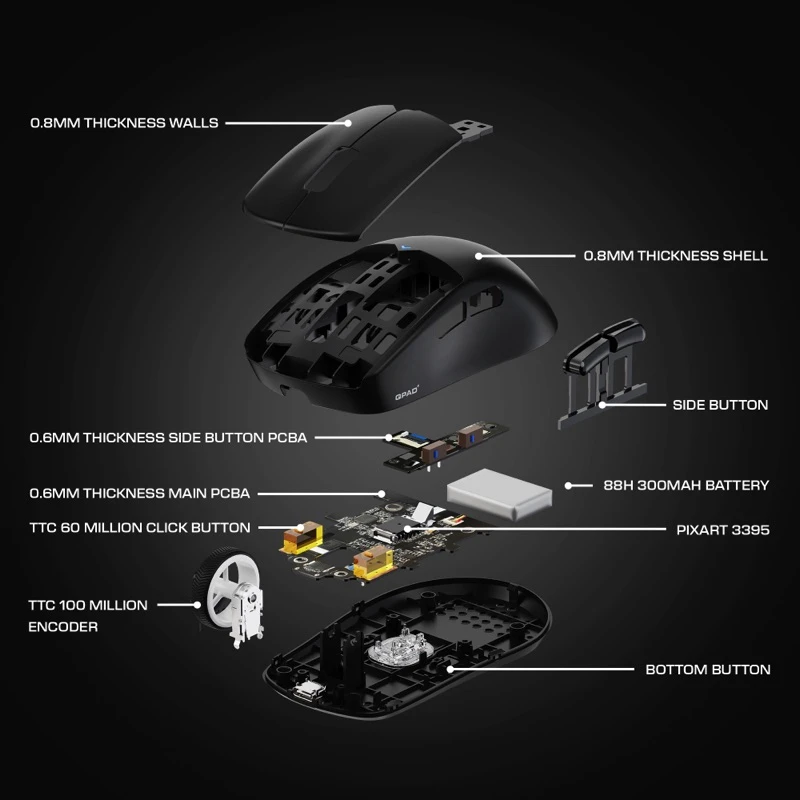
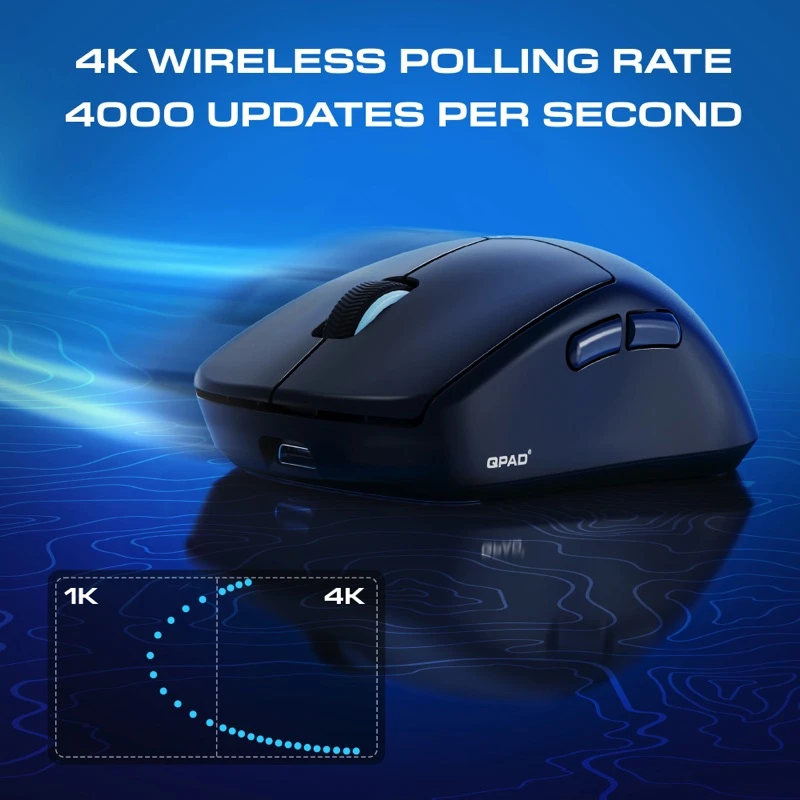
Now, specifications on paper are heavily stacked. The mouse runs on the PixArt PAW3395 optical sensor, supporting up to 26,000 DPI, which is more than enough for literally anyone. Tracking feels extremely precise and responsive with no weird skips. The polling rate goes up to 4,000 Hz, which means that there is exceptionally low input lag. If you are into competitive shooters, this is exactly the kind of spec you want for your sessions.
There is also quite a bit of flexibility with the connectivity. There is 2.4 GHz wireless for the lowest latency. Bluetooth 5.1 for convenience and saving a USB port, with the additional USB-C wired if you want maximum stability whilst charging. I really like how most of it is mainly wireless, and being able to use it in Bluetooth frees up a USB slot and also keeps the desk looking cleaner.
Battery life sits around 88-100 hours per charge, depending on what mode and polling rate you are running. That is easily multiple days or weeks of regular use without having to worry about plugging it in. When you do need to charge it, it takes roughly 3 to 4 hours to fully charge, which is extremely reasonable.
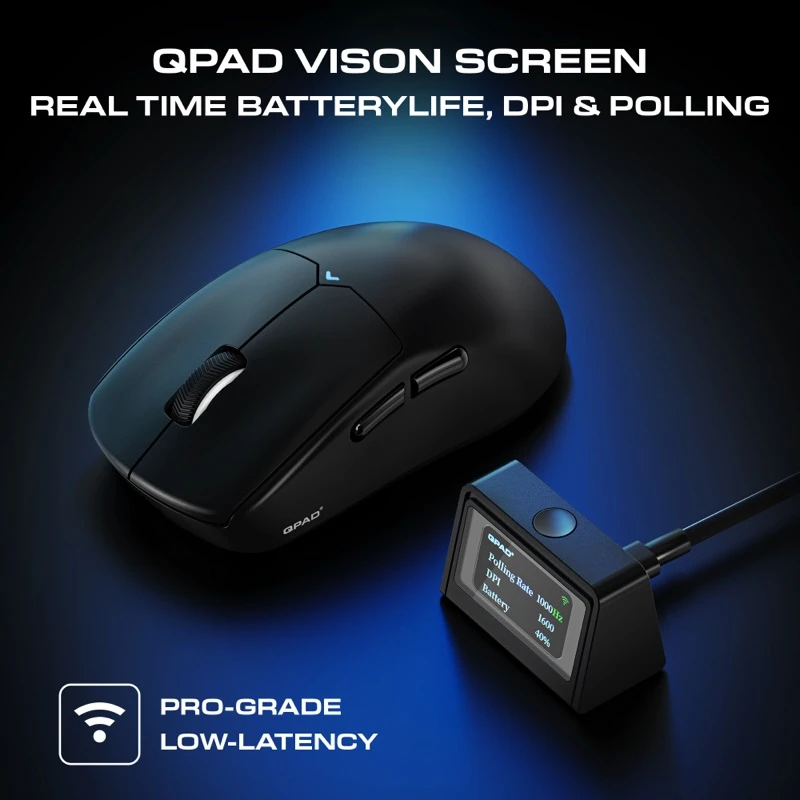
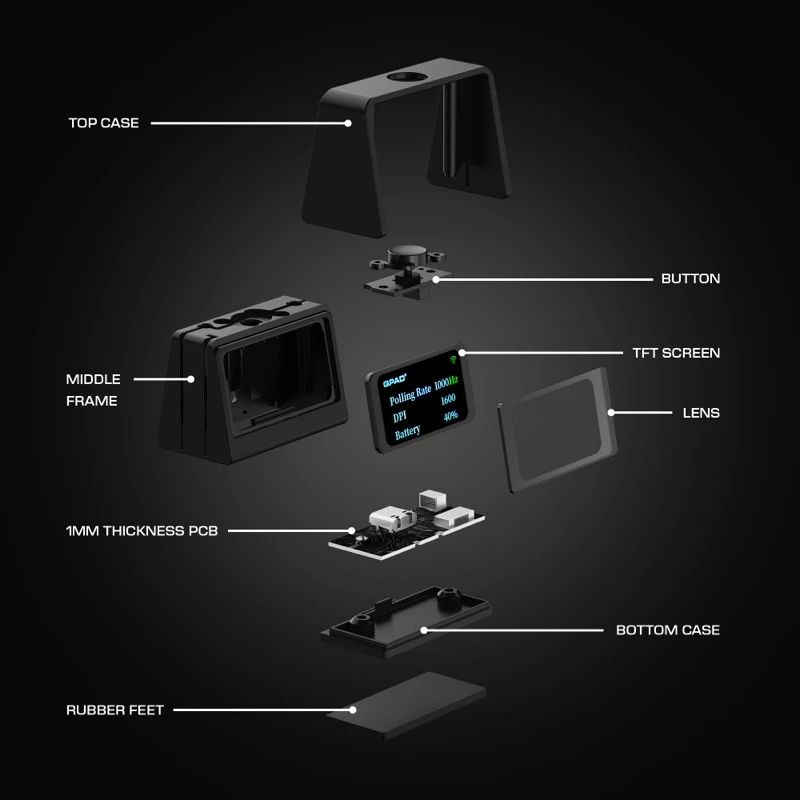
This mouse comes with a Vision dongle. That has a small display screen built into it. It shows your current DPI, polling rate and battery status. I will say that it is a smart addition. Instead of going into a separate application mid-game, you can take a glance at the dongle and instantly see what setting your mouse is currently set to. For pro players, I could definitely see them using these quite often, or even competitive players. But as someone who is a casual gamer, I do not see myself using it quite often. Plus, the vision dongle is wired to your system, which takes up another USB slot.
The QPAD Mark Model 5 uses QPAD’s software, and honestly, it is very straightforward. The layout is clean, dark themed, and not overloaded with random tabs that you will never touch. Everything important is easy to find, which I appreciate because nobody wants to spend 20 minutes just figuring out where the DPI setting is.
You can fully customise your DPI in fine 10-step increments, which is great if you are someone who is very picky with their sensitivity. You can set up to 5 DPI stages and quickly switch between them, which are colour-coded too. Adjusting the polling rate is simple, too; options with varied settings are present in the software.
You can also tweak things like Lift-Off Distance (LOD), High Performance Mode, Motion sync, angle snapping and ripple control. For most people, you will probably leave things like angle snapping off, but it is quite nice having this as an option to fine-tune your setup. The mouse comes with 5 programmable buttons that you can reassign easily using the software. There is also a macro editor built in. You can record key presses, adjust delays, and even set commands to repeat while holding a key.
Overall, the software does not try to do too much, which is its strength. It covers everything that you would realistically want without feeling too cluttered. It is the type of software that you can open and tweak your settings in five minutes, then forget about. There is a thing where the software will only recognise the mouse if it is connected through a wired connection, which is important to note.
The side grip of the mouse itself, without grip tape, feels a bit too plasticky. It is not bad quality, but it does not have that rubberised or textured feel some people prefer for extra control. As stated previously, the weight is very light. While a lot of competitive players love ultra-light mice, some gamers prefer a bit more weight for steadier, controlled moves. A slightly heavier variation of this model could appeal to a wider audience. This could also include the addition of adjustable weight bearings so users can adjust the weight of the mouse accordingly.
Design-wise, it is very clean and minimal. It does not really have that striking gamer aesthetic. There is just a small triangle LED to indicate DPI, which works, but I kind of wish there was a bit more personality to it. Not necessarily over the top RGB, but something visually distinct. The specs are seriously strong and highly customisable, so performance-wise, it is hard to complain, but considering the price point, a little extra flair or additional design detail would have made this mouse more premium (plus it is targeted for gamers).
The QPAD Mark Model 5 Vision struck a really solid balance between performance, comfort and features. The sensory and polling rate are high-end, and the vision dongle is meaningful. Being able to glance at your DPI, polling rate and battery without opening software mid-game is more useful than one may think.
Battery life is strong, and the flexible connectivity makes it versatile across different devices and setups. The mouse is comfortable enough for most users, and the addition of grip tape allows for better accessibility. For gamers focused on competitive play, the QPAD software lets you remap buttons, adjust DPI/acceleration, set macros, and fine-tune polling, making the mouse adaptable to different users and games.
Overall, it is a performance-first mouse with smart features and a clean design, even if I personally wish it had a bit more visual personality.
Overall: 7/10

This is S & S. We are world game explorers. We play games. We have played over 10,000+ games! We travel, we write reviews AND we play more games!!!!