Developer: GigaPuff
Platform: PC (Reviewed)
Genre: Casual, Simulation
Publisher: Future Friends Games
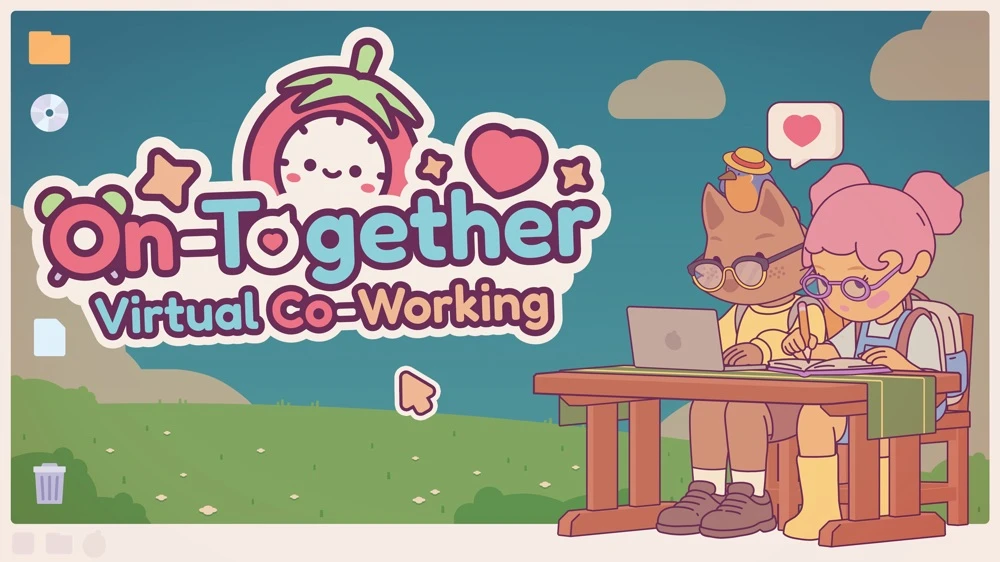
On-Together: Virtual Co-Working is a game where you can virtually work alongside others, meet new people and unlock all sorts of accessories. This game is developed by GigaPuff and published by Future Friends Games.
On-Together: Virtual Co-Working is not your average game, but rather focuses on your tasks, your focus, and the quiet comfort of sharing space with others who are also trying to get things done. In a post-COVID world where online studying and virtual communities have become second nature, On-Together taps into something a lot of students have been craving: a way to stay productive without feeling alone. Nowadays, procrastination fills the air when immersed in endless tasks, but this game does a wonderful job at keeping you focused, all while staying cute and aesthetic.
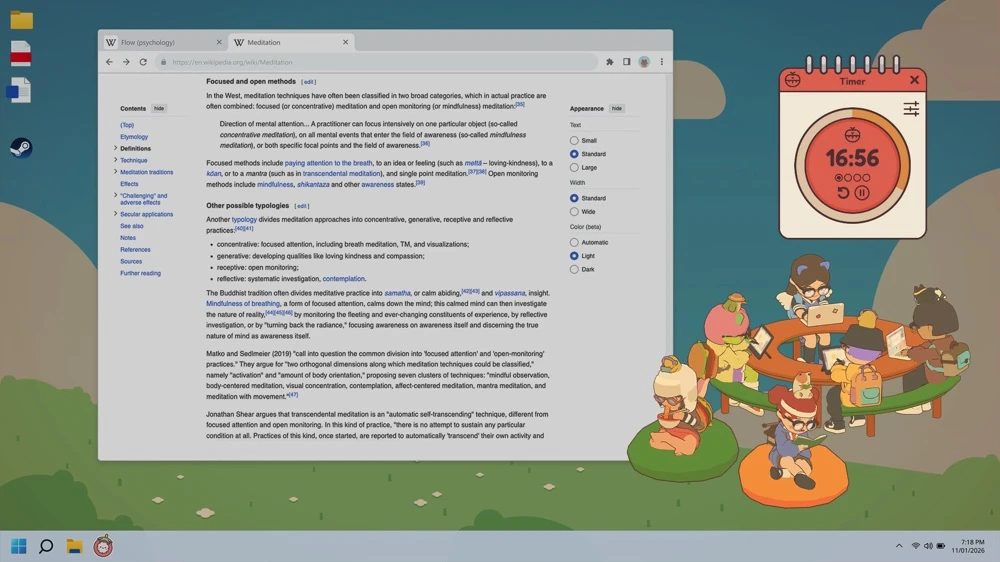
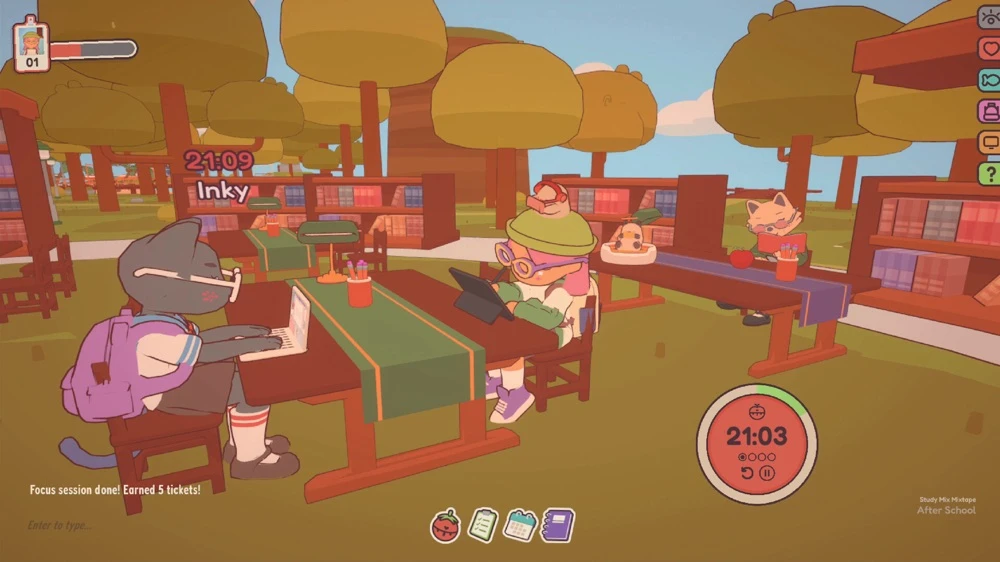
As I am writing this review, my little avatar is sitting at the bottom left of my screen, locked into a writing focus session that mirrors exactly what I am doing in real life. That small detail alone perfectly sums up the charm of this game; it quietly keeps you accountable while making productivity feel less isolating and way more cosy.
Mechanically, On-Together is very easy to pick up. You can join public servers (tagged by social types) with up to 16 people, or create private or public lobbies to study with friends. Servers feel warm and welcoming almost immediately. When I joined my first server, people were chatting, sharing tips on how to earn tickets, and even reminding each other to drink water and stretch (which was genuinely wholesome).
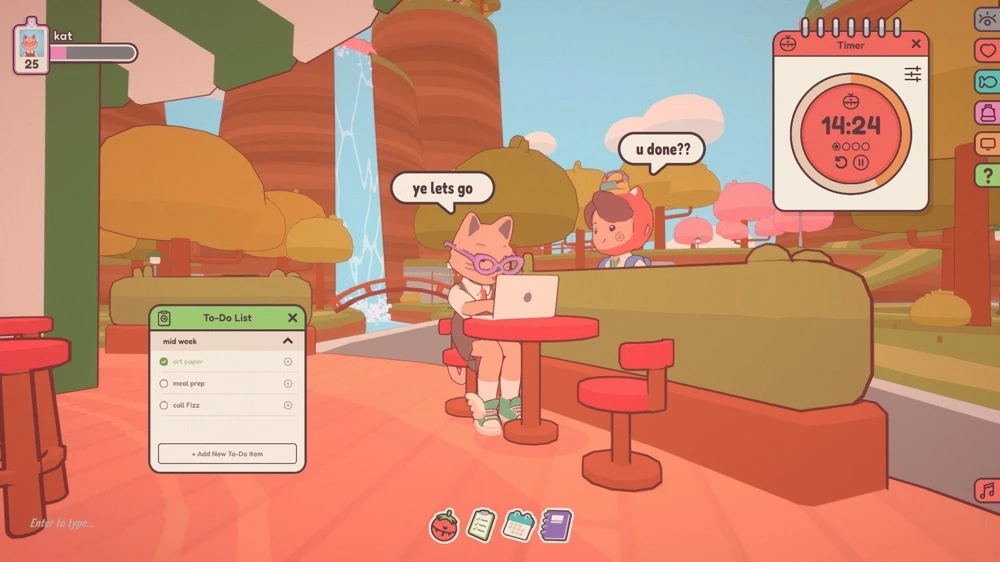
The game rewards you simply for focusing. The longer you stay in focus sessions, the more tickets and achievements you earn. The number of achievements honestly surprised me. It feels like the game really wants to celebrate consistency, no matter how small.
There are multiple screen modes, including a fantastic desktop overlay mode that lets you keep the game open while working on assignments, browsing or even gaming. In this mode, you can see your avatar sitting at a desk with a visible focus timer underneath, while nearby players surround your table and their messages show up as cute text bubbles. That said, I did encounter an issue early on where non-full-screen modes would not overlay properly, and at one point, my entire screen went black except for the game window. Thankfully, the Discord communication had a fix posted in a video, which solved the problem quickly.
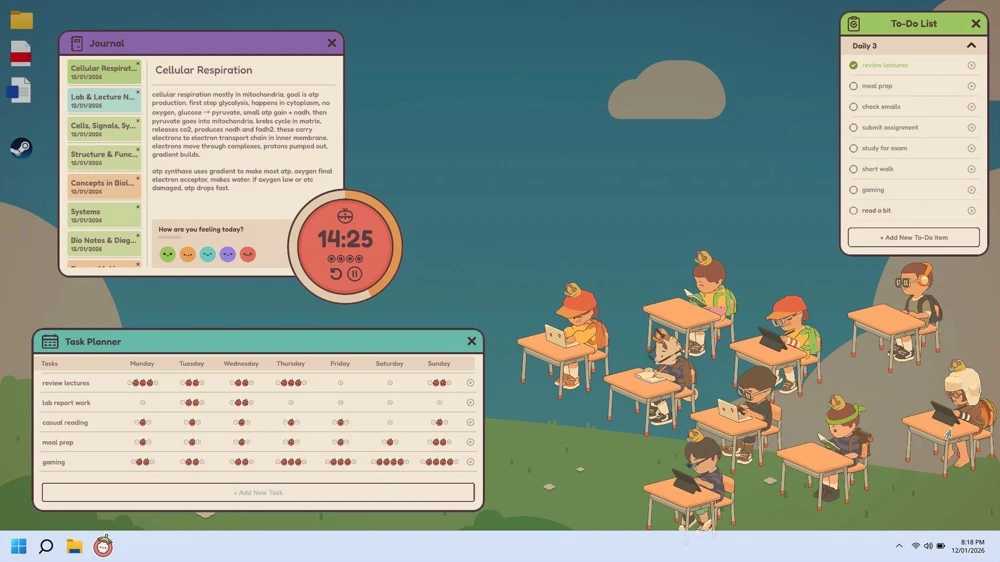
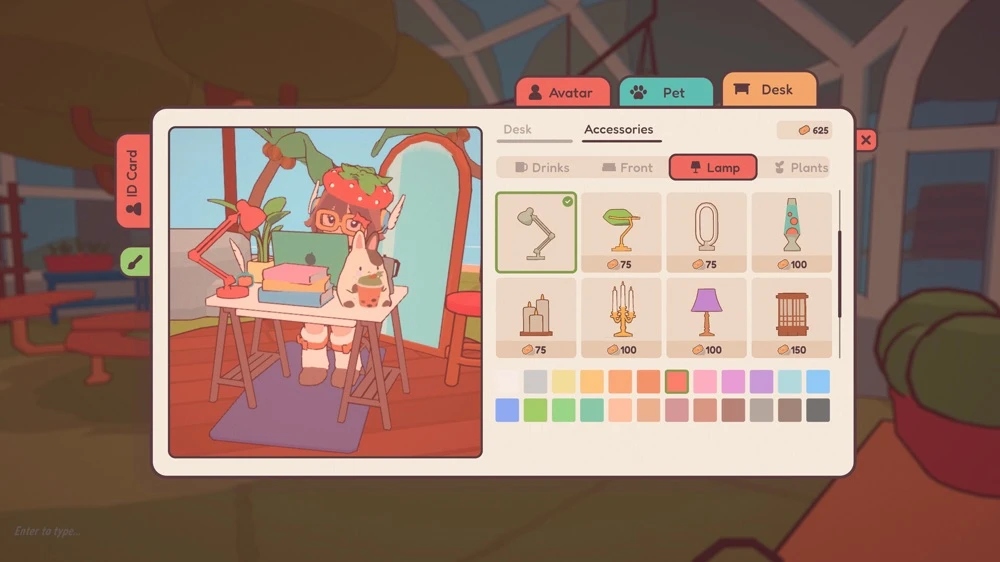
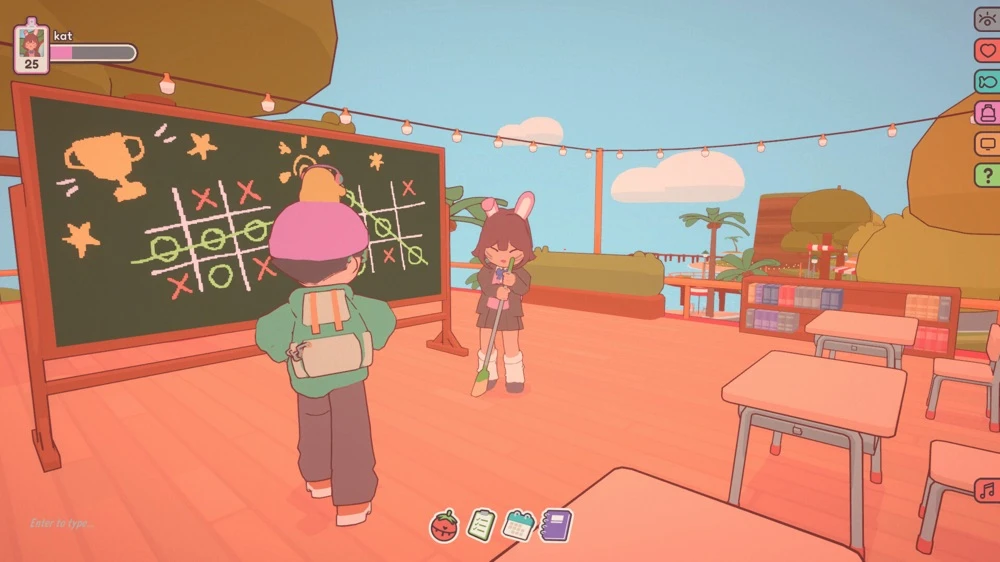
Visually, On-Together is adorable. The art style is soft, warm and comforting with a bright but gentle colour palette that never feels overwhelming. The map itself is surprisingly larger, offering multiple focus locations from greenhouses and open-air libraries to docks, meditation tents and more. Depending on where you choose to focus, the overlay view changes, giving you a zoomed-out overview of that specific location and everyone inside it. Mediating at the tent on the hill, for example, gives you this peaceful, panoramic view of the tent with players meditating inside that captures the vibe of the space. Alongside the visuals, the cosmetics are a huge part of the fun. Using the ticket currency, you can customise your avatar and buy playful items like bubble gum, soda and candyfloss. You can even unlock pets, which adds another layer of charm and personality.
On-Together features a lo-fi-inspired playlist with soft instrumentals and funky beats that fit the atmosphere well. While the playlist is quite limited (I often switched to my own music), the game also offers ambient white noise options like rain and thunder, which are great for focusing. I would love to see Spotify integration in the future, so your own music could be controlled directly from the overlay UI.
At its core, On-Together is a productivity tool disguised as a cosy multiplayer game, and it pulls that off incredibly well. The Pomodoro Timer is fully customizable, allowing focus sessions up to 99 minutes, with adjustable short and long breaks. Long breaks can trigger after a set number of sessions, helping you break tasks into manageable chunks. The subtle sound effects for timers are a nice touch, just enough to get your attention without being jarring. The To-Do List is simple and clean. You can create multiple task groups and check items off as you go. While I’d love to see added features like emojis or due dates that sync with a calendar, it works well as a normal task list that you can tick off as you go. The Task Planner, however, is my least favourite tool. It lets you assign tasks based on how many times they need to be done per week, but I personally do not see myself using it much. I think combining the calendar and to-do list would make for a much stronger planner overall, though this is a personal preference. The Journal is one of my favourite features. You can create daily entries, jot down notes, recap your day, plan goals or even rant about your unfortunate choices. Each entry has a colour-based mood association, which is such a cute and thoughtful idea. However, there is a word limit to each of the entries you can make, which I did not like so much.
Outside of productivity, the game offers plenty of fun break activities. You can fish for extra tokens, play basketball, jam in the music room, or just explore. At one point, my friend and I found a blackboard and spent nearly two hours playing Pictionary, completely unplanned and incredibly fun. The instruments in the music room feel surprisingly realistic, letting players interact with actual keys to form a proper in-game band. I would love to see future updates that add more brain-teaser style minigames, like chess or a daily Sudoku, so players can warm up their brains together before starting focus sessions.
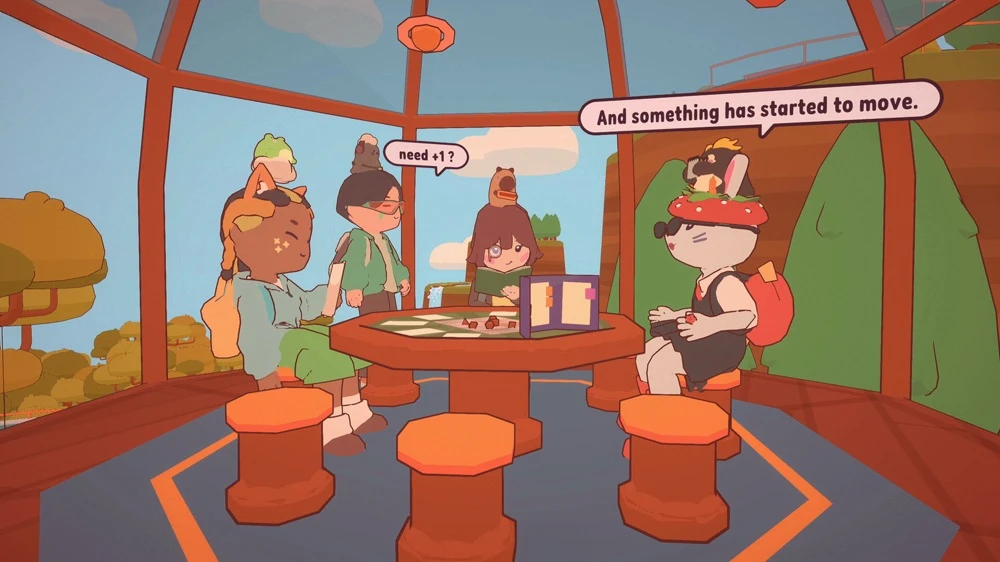
What really makes On-Together special is the sense of community. Everyone is doing their own thing, but you never feel alone. Seeing other players’ focus animations and timers floating above their avatars is such a subtle but effective way to feel connected without being distracted. The deskptio overlay has quickly become something I keep running constantly, whether I am working on assignments, writing game reviews or even playing other games. Being able to pull out the journal mid-session and take notes in real time is incredibly useful. Despite a few technical hiccups and some tools I do not use as much, the developers at GigaPuff have clearly put a lot of thought and care into this experience. It feels intentional, cosy, and genuinely helpful rather than gimmicky.
We were provided with several codes, and some of the others who tested out this game had the following to say about it. Vroggo said the following, “The game is super charming! The best features of the game are, of course, the Pomodoro timer and the overlay on your screen to see others as you do your work. I find seeing the tiny overlays of people at the bottom of my screen is definitely more motivating than studying alone.
I don’t find myself using the other productivity features, though. The planner, to-do list and journal are a little lacking solely because there’s a limit to how much I can write in them. Otherwise, I think they’re okay to use on a weekly basis for short tasks and summaries of the day.
Apart from the productivity features, the customisations are also pretty neat. There are tons of outfits to choose from, and some outfits let you customise the colours on them!
Pets are the next best thing. Some are locked behind player levels, and there are certain requirements to unlocking them, but with enough time spent in the game, it’s very doable and satisfying in its own way when unlocking them.”
Another player, Moody, had the following to say, “On-Together is a fun game that allows you to relax with your friends while doing productive things, such as playing, studying, listening to music, and creating a focus cycle. This game is a great tool and aesthetic to help players stay focused and meet new people in a wonderful environment. The customisation really shines and is one of the key points of the game, as earning tickets by focusing is a way of motivation to unlock new items and pets. One of the best features in this game is that the overlay is really well done and does not cause a distraction when working on other tasks. I will also say that the social aspect is really fun and you’re able to meet so many different people from all around the world.”
On-Together: Virtual Co-Working is more than just a productivity app; it is a comforting digital space where focus and fun coexist. It proves that being productive does not have to feel lonely or rigid and that all you need is a room full of tiny avatars quietly working alongside you. With its charming visuals, thoughtful tools and welcoming community, this is a game I can easily see myself using long-term. On-Together is absolutely worth checking out!
Overall: 10/10

This is S & S. We are world game explorers. We play games. We have played over 10,000+ games! We travel, we write reviews AND we play more games!!!!